 DAILY TAI CHI
How to Practice Tai Chi Using a Tablet (28-Day Path)
A short guide to propping, angling, and following a tai chi session on a tablet so you can see every slow movement clearly.
Published
Quick answer
To practice tai chi using a tablet, prop the screen at eye level on a stable stand, leave enough room to see your whole body, and follow a slow, guided video a few minutes at a time.
Key takeaways
- Prop the tablet at eye level using a stand, books, or a wall lean.
- Stand far enough back to see your whole body in the frame.
- Keep a stable chair or wall nearby for balance during standing moves.
- A 5 to 10 minute session fits easily on a propped-up tablet screen.
- Angle the screen to cut glare so slow movements stay easy to follow.
You can practice tai chi using a tablet by propping it at eye level on a stable stand, standing back far enough to see your whole body, and following a slow, guided session a few minutes at a time.
Plenty of people already do their daily practice exactly this way — propped against a stack of books on a kitchen counter, or leaned on a shelf in the living room, with no laptop or dedicated screen required.
A tablet suits this kind of practice well because the screen is large enough to show a full standing posture, yet light enough to carry from room to room. You might practice near a window in the morning and move the same tablet to a quieter corner in the evening, without rearranging any equipment at all.
How do you set up a tablet for tai chi practice?

Set the tablet on a stable stand or a stack of sturdy books so the screen sits roughly at your eye level, angle it toward your practice space, and step back far enough that your whole body fits in view.
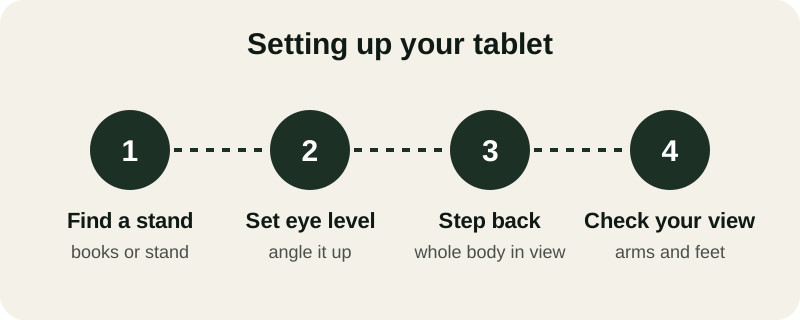
- Find a stand: prop the tablet on a tablet stand, a stack of books, or lean it against a wall.
- Set eye level: adjust the height so the screen sits roughly level with your eyes, not angled down.
- Step back: move far enough away that your whole body shows in the frame, not just your top half.
- Check your view: glance at the screen once to confirm you can see your arms and feet clearly.
If you don't own a dedicated stand, a cookbook holder, a mug rack turned on its side, or even a dining chair pulled close to a counter can prop the tablet at a workable angle. The goal isn't a perfect setup — it's a steady one that won't slide or tip once you start moving through a sequence.
Best tablet position for a steady view
Height matters more than most people expect. A tablet propped low, flat on a table, tends to pull your chin and shoulders down as you check the screen, which works against the easy, upright posture tai chi is built on. A tablet that sits closer to eye level lets you glance at it without folding forward.
Lighting matters too. A screen facing a bright window often washes out, especially for anyone whose eyes tire easily. Turn the tablet so the window light falls on you instead of on the screen, and raise the brightness a notch if the room is dim in the evening.
Sound matters as well, especially when a guided voice is walking you through each movement. Turn the volume up enough to hear clearly from across the room, and test it once before you begin so you aren't pausing mid-session just to adjust it.
What features make tai chi easier to follow on a tablet?
A tablet's larger screen makes slow hand movements, foot placement, and weight shifts easier to see than on a phone, especially when the instructions use large, high-contrast text and a simple, uncluttered layout.
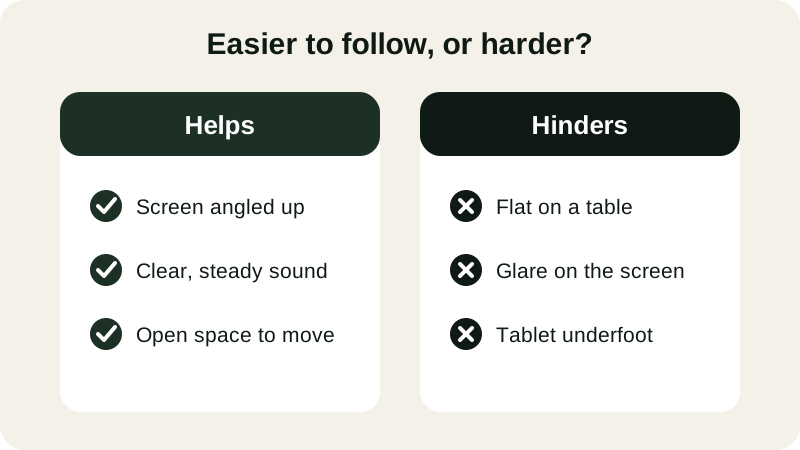
- Helps: screen angled up.
- Helps: clear, steady sound.
- Helps: open space to move.
- Hinders: flat on a table.
- Hinders: glare on the screen.
- Hinders: tablet underfoot.
Daily Tai Chi was built with a tablet or phone screen in mind: each session in the 28-day path is guided step by step in large, easy-to-read text, with the first 4 days free, no card and no account needed, on either iPhone or Android. For more on the display side, our guide to an app with large text for tai chi instructions covers screen settings in more detail, and the step-by-step tai chi app guide walks through how the full path is structured.
Many guided programs also let you download a session ahead of time, which is worth doing if your wifi is unreliable or you'd rather not depend on a connection mid-practice. A downloaded session plays the same way regardless of signal strength, which matters once you've settled into a daily rhythm and don't want a stall to break your focus.
Building a daily tablet practice
A tablet works best for tai chi when it becomes part of a short, repeatable routine rather than something you set up fresh each time. Pick one spot — a kitchen counter, a bedroom dresser, a hallway with a bit of floor space — and leave the stand there so practice takes seconds to start, not minutes.
Five to ten minutes most days is plenty. A session might move through gentle weight shifts, a wave hands sequence, a heel-to-toe stand, and a slow sit-to-stand from a chair, all easy to follow on a propped screen once you've found your spot. If standing feels unsteady some days, the same screen setup works just as well for a seated routine — our chair Tai Chi for seniors guide and our tai chi at home with no equipment guide both use the same slow pace, just from a chair.
If more than one person in the household wants to practice, the same tablet can simply be handed off at a different time of day. A guided session starts fresh each time, so there's no progress to lose by sharing one screen between a morning routine and an evening one.
Over a few weeks, the tablet itself fades into the background. You stop thinking about the screen and start thinking about your breath, your weight, and the next slow movement — which is the whole point of meditation in motion.
Sources
Can you practice tai chi using a phone instead of a tablet?
Yes, a phone works too, though its smaller screen makes full-body movements harder to see from across the room. A tablet or laptop screen propped at eye level gives a clearer view of arm and leg positions, which helps most with standing moves.
Do you need an internet connection the whole time?
It depends on the session: streamed video needs steady wifi, but many guided programs let you download sessions ahead of time so you can practice offline, which helps if your connection drops or you practice somewhere without wifi.
How far should you stand from the tablet?
About six to eight feet back works for most rooms, so your whole body fits in the frame for standing moves like gentle weight shifts. Seated practice can be closer, since you mainly need to see your upper body and hands.
Can you prop a tablet on a table for seated practice?
Yes, resting it against a stack of books or a small stand on a table works well for seated practice. Keep the screen at eye level rather than flat on the table, so you aren't tilting your neck downward the whole time.
What if the on-screen instructions are too small to read?
Look for a program with large, high-contrast text and simple cues, or move the tablet closer during instructional moments and back during movement. A tablet's bigger screen already helps more here than a phone's smaller one.